Dunning is the art of saying "hey, your payment failed" in increasingly urgent ways until someone pays up or gives up. Good dunning recovers 30-50% of failed payments - basically free money if you do it right.
Dunning done well recovers 30-50% of your failed payment value, which is often 5-10% of total subscription revenue. On $1M ARR with a 10% payment failure rate, that's $30K-$50K a year. Treat it as a revenue line, not a chore.
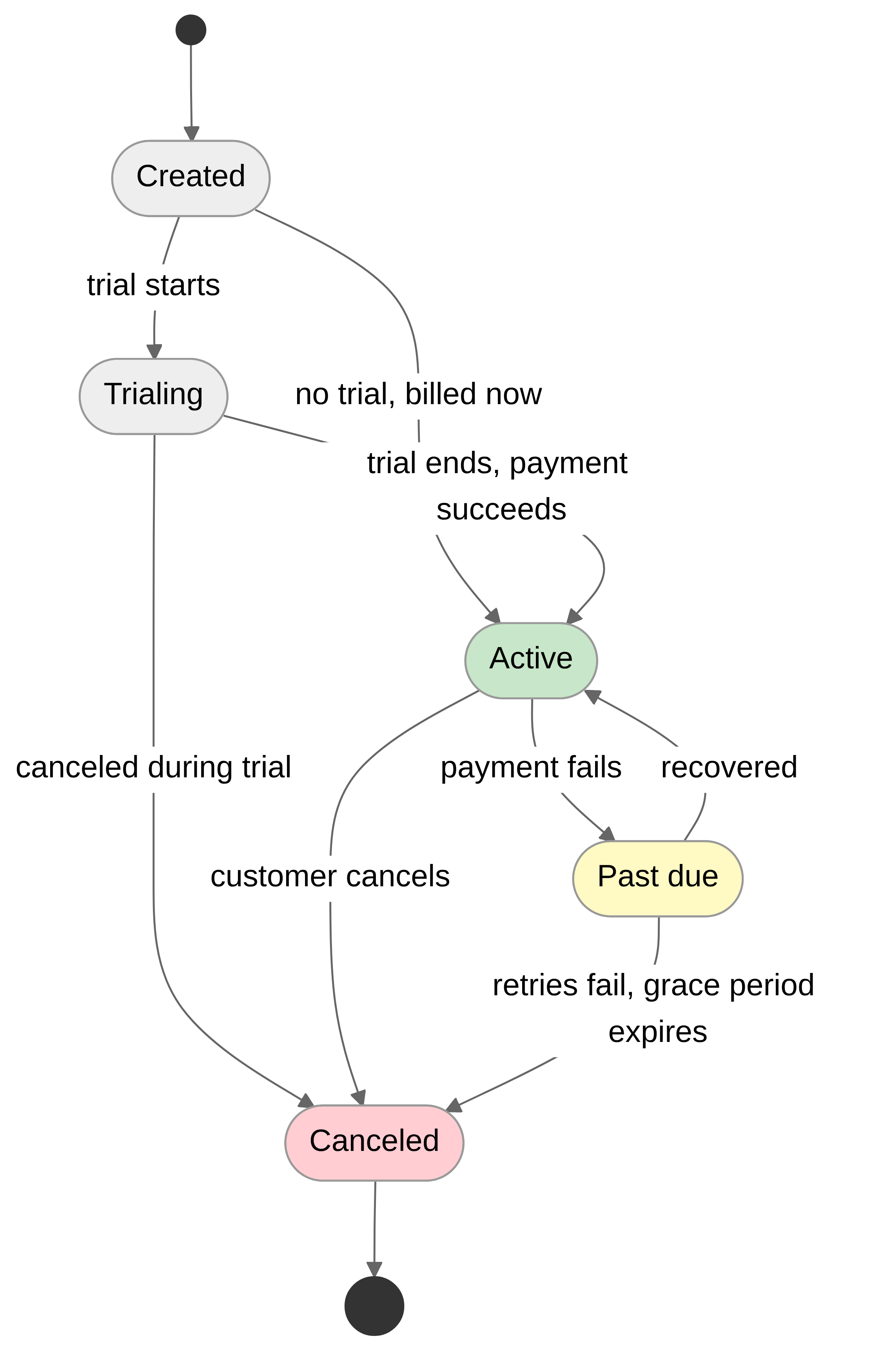
Why Payments Fail
Before you fix failed payments, look at why they fail. Most of it isn't your fault. Insufficient funds drives roughly 42% of failures (broke until payday), expired cards another 20%, and bank declines around 15%.
Network blips account for about 10%, fraud prevention catches another 8%, and the remaining 5% never gets a satisfying explanation.
The decline reason picks the sequence. From chapter 24.
Failure Categories and Actions
| Failure Type | Suggested Action | Retry Delay |
|---|---|---|
| Insufficient funds | Retry with delay | 72 hours |
| Expired card | Request new method | No retry |
| Card declined | Retry once, then new method | 24 hours |
| Authentication failed | Customer action required | 1 hour |
| Processing error | Immediate retry | 1 hour |
The decline reason picks the sequence. Insufficient funds means the money isn't there yet, so the fix is time: retry after a few days, and aim the retry at when money arrives. A generic decline with no reason attached is a coin flip, so retry once and then ask for another card. Authentication failed means the bank wants the customer present, and no number of unattended retries changes that; the only useful action is a link that brings them back. Processing errors are yours or the processor's, and a retry within the hour usually clears them.
Expired cards are the row where retrying the same card is pure waste, which is why the table says not to. A card-updater service changes that row. Visa and Mastercard both run programs that push a reissued card's new number and expiry date to enrolled merchants. Stripe's documentation says it applies those updates to saved cards automatically, with the widest coverage on US-issued cards. The practical effect is that an expired-card failure often fixes itself within days, with no email and no effort from the customer.
So if your processor does this, don't send "your card has expired" on day one. Wait for the update to land, retry, and involve the customer only if that retry fails too. Emailing someone to replace a card the network already replaced is a good way to look like you don't talk to your own processor. The takeaway below about asking for a new card before the old one expires still stands for the cards the updater can't reach. Chapter 29 puts a number on what account updater and smart retries do to authorization rates.
Why the email comes before the first retry, and what happens on day 14. From the same chapter.
Standard Dunning Sequence
- Day 1: Send payment failed email
- Day 3: First retry attempt
- Day 6: Reminder email
- Day 9: Second retry attempt
- Day 12: Final warning email
- Day 14: Pause subscription (72hr grace)
- Day 17: Cancel if unresolved
Each step is a decision, and the shape isn't arbitrary. The email comes before the first retry on purpose. A customer who fixes the card after that email makes the first retry succeed, and a retry that fails before anyone has been told is a wasted attempt. Retries and messages then alternate, so nobody gets two messages in a row without something having been tried in between. The gaps follow the table above; insufficient funds wants 72 hours, and a payday often falls inside that window.
The messages should escalate in specificity, not in volume. Day 1 says something went wrong and gives a link that fixes it in one step. Day 6 repeats the link and, for the first time, says what happens if nothing changes; Day 12 names the date access ends. None of them should read as an accusation, and Chapter 7 has the wording that tests better. When email isn't landing, add a channel rather than a louder email: SMS for the final warning, and a human for the accounts that matter.
Day 14 is where the design question lives: pause, cancel, or downgrade to a plan the account can stay on (a plan change, not a new state)? Pause preserves the account and the data at the cost of a stopped invoice, and it fits when the failure is probably temporary and the customer is probably coming back. Downgrade to the free tier keeps the account alive indefinitely and makes win-back a single click. Cancel fits when keeping the account costs real money in storage, seats, or compute, and the customer has been silent through the whole sequence. The schedule above pauses first and cancels three days later, which gives a quiet customer one last window without letting paused accounts pile up.
Stopping matters as much as starting. Every retry after the sequence ends has worse odds than the one before it, and every message after the final warning spends goodwill you'll want for the win-back campaign. Stop on schedule, record why, and hand the customer to the win-back flow the takeaways describe.
Complete Implementation: See src/examples/24-advanced-subscription-management/dunning_management.py
The Stripe end of it, from chapter 9.
Dunning Management
Configure retry logic in Stripe Dashboard under Billing > Subscription settings. Handle failed payments via webhooks:
if event['type'] == 'invoice.payment_failed':
    invoice = event['data']['object']
    if invoice['attempt_count'] >= 4:
        suspend_customer_access(invoice['customer'])
        send_final_payment_warning(invoice['customer'])